The Show only distinct values option for SAS Stored Process prompts might not work if all of the following conditions are true:
-
- There is a stored process with two prompts.
- The second prompt is dependent on the first prompt.
- The Show only distinct values option is enabled for the dependent prompt.
You encounter this issue if the above conditions are true and you complete steps similar to the following:
-
- Clear out the first value.
- Enter a valid value.
- Go the second prompt.
- Use your mouse to click the down arrow.
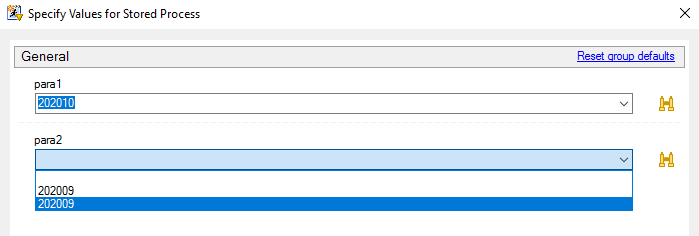
There are multiple workarounds for this issue:
Workaround 1:
Enter a value into first prompt and move to second prompt by pressing Enter or the Tab key.
Workaround 2:
Click the down arrow to specify a value in the first prompt.
Workaround 3:
Right after you open the stored process, select Reset group of defaults.