Stop lists enable you to omit certain words from text analysis that is performed by a SAS LASR Analytic Server. To use a stop list, you select Load Text Analytics Stop List in SAS® Visual Data Builder. This action registers and loads a stop list for the specified LASR server, including updating the server to include the path to the list. This update might not occur. As a result, your stop list is ignored.
To correct this problem, follow these steps:
- Log on to SAS® Management Console with an administrative account such as sasadm@saspw.
- From the Plug-ins tab, expand Server Manager.
- Right-click the LASR server that should have been updated with the location to the stop list, and select Properties.
- Click the Extended Attributes tab.
- Click New to add a new property, and then enter these values:
Field Name: VA.TextAnalyticsStopList
Value: <the metadata path to the stop list table>
For example, for the Public LASR Analytic server, you might enter the path shown in the following display: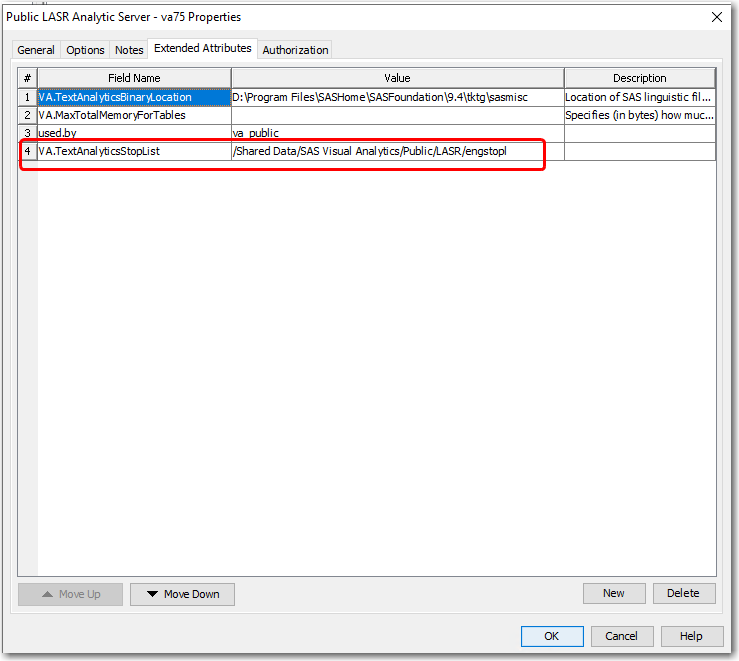
- Click OK to save your changes.